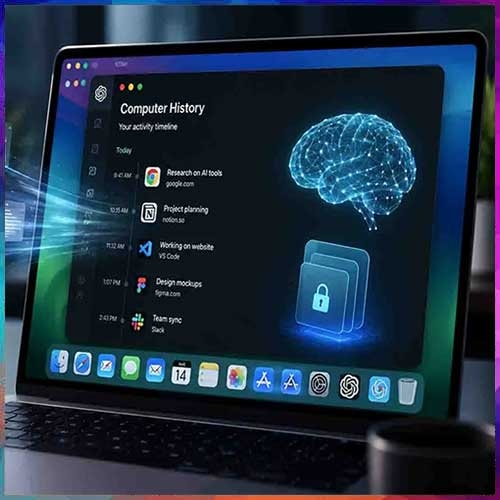
OpenAI has rolled out a new opt-in feature called Computer History in the ChatGPT desktop app for macOS, replacing the earlier experimental Chronicle tool. Rather than relying on screenshots like Chronicle did, Computer History records interaction events exposed through macOS's accessibility features — including clicks, typing, keyboard shortcuts, and app switching.
What It Actually Does
OpenAI wants ChatGPT to remember your workday better than you do — turning your clicks, keystrokes, web browsing, and more into a searchable timeline that helps you resume unfinished work, locate relevant files or conversations, and automate repeat workflows. The system creates an interaction-event stream from allowed apps and websites, periodically converting those events into text summaries and local memory files, with the resulting timeline browsable in Settings, grouped by day and time.
Practically, this means you could ask ChatGPT what you were working on before your last break, or where a particular proposal document went, and it searches your recent activity to point you in the right direction. It can even spot repeatable workflows and suggest turning them into a one-click automation.
Privacy Guardrails OpenAI Has Built In
Importantly, Computer History does not capture screenshots, screen recordings, microphone input, or system audio, and private-mode browsing is excluded entirely. The feature is off by default and must be deliberately enabled — you choose which apps and websites contribute. On macOS, a new menu bar entry lets you exclude any app from tracking, alongside settings to exclude specific apps and websites.
Access is currently limited to ChatGPT Pro, Business, and Enterprise users, with Business and Enterprise administrators required to grant workspace-level access before individual members can turn it on. Availability currently excludes the European Economic Area, Switzerland, and the UK, and the feature is further limited to users in the US specifically.
The Part Worth Pausing On
Here's where the "should you?" question gets real. Despite the privacy-conscious framing, an AI agent reads your raw activity before summarizing it, and that summary then sits on your Mac unencrypted — meaning any other program running as your macOS user can potentially access it. That pipeline shifts the real question from "what does the feature collect" to "who can reconstruct your day from what it captured," and reviewers have already drawn comparisons to Microsoft's Windows Recall, which pursued a similar always-on-screenshot approach and drew a fast, significant backlash in 2024.
This also isn't OpenAI's first privacy stumble in this exact area — a 2024 bug previously stored ChatGPT conversations unencrypted outside the app's normal storage location.
Whether to enable this comes down to a genuine trade-off, not a clear-cut answer. The functional upside is real: no more manually reconstructing your morning from memory, with ChatGPT able to pick up exactly where you left off across apps. But whether you actually want an AI logging that much of your activity is a separate question — one that sits in direct tension with Apple's own privacy positioning, and the unencrypted local storage is a meaningful gap between "opt-in and controllable" and "genuinely secure by default."
If you're tempted to try it, the safer approach is starting narrow: enable it only for a couple of low-sensitivity apps first, check what the generated memory files actually look like on disk, and expand access only if that inspection puts you at ease — rather than granting broad access up front and hoping the local storage situation improves later.