
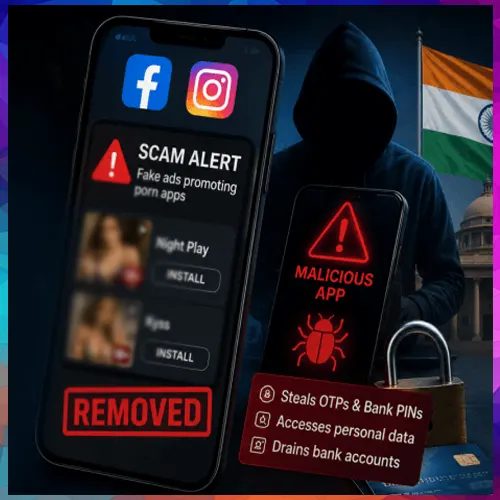
Malicious apps promoted through social media ads can trick victims into installing APK files and granting Accessibility permissions, enabling attackers to monitor screens, capture sensitive credentials, intercept OTPs and initiate unauthorised transactions.
The Ministry of Home Affairs (MHA) has issued a cybersecurity alert over a growing fraud campaign involving Android applications that are promoted as pornography-related services through advertisements on Facebook and Instagram. The warning was issued by the National Cybercrime Threat Analytics Unit (NCTAU) under the Indian Cyber Crime Coordination Centre (I4C) through advisory TAU/ADV/018 dated August 26.
The advisory identifies several suspicious applications, including “Night Play”, “Reloop”, “Kyss”, “Vimo”, “Rivo”, “Nexo” and “Vixa”. These apps are reportedly promoted through social media advertisements and direct users to phishing websites, with several links hosted on “.live” domains. Victims are subsequently persuaded to download an Android Package Kit (APK) file directly from the website rather than through the official Google Play Store.
Malware exploits accessibility permissions
Once installed, the malicious software can initiate a multi-stage attack designed to gain extensive control over the victim’s smartphone. The malware may download another package presented as a routine application update and then request Accessibility permissions, which are normally intended to assist users with disabilities.
If granted, these permissions can allow the malware to monitor on-screen activity, interact with applications, press buttons and enter sensitive information. Attackers can potentially exploit this access to capture or manipulate OTPs and PINs and carry out unauthorised financial transactions without the user’s knowledge.
The campaign also includes variants capable of installing a VPN that can redirect the victim’s internet traffic through infrastructure controlled by attackers. Some malicious applications may further complicate removal by preventing or resisting standard uninstall procedures.
MHA issues steps for safer Android use
The MHA has advised users to install applications only from the Google Play Store or other reputable app marketplaces and avoid downloading APK files promoted through advertisements, unfamiliar websites or unsolicited links. Users should also treat requests for Accessibility permissions from unknown applications as a major warning sign.
The advisory recommends regularly checking installed applications, deleting unfamiliar or suspicious software, keeping Google Play Protect activated and installing the latest operating system and security updates. Users should also monitor their bank accounts and UPI transactions for unusual or unauthorised activity.
For applications that refuse to uninstall normally, users can attempt removal through Android’s Safe Mode. This can generally be accessed by pressing and holding the Power button, followed by pressing and holding the “Power Off” option until the Safe Mode prompt appears. After restarting in Safe Mode, users can navigate to Settings, open Apps and remove the suspicious application along with any related or unfamiliar software.
After completing the removal, the device can be restarted normally. If the malicious application continues to return or cannot be eliminated, the MHA advisory recommends considering a factory reset as a final measure, after ensuring important data is securely backed up.

See What’s Next in Tech With the Fast Forward Newsletter









Tweets From @varindiamag
Nothing to see here - yet
When they Tweet, their Tweets will show up here.