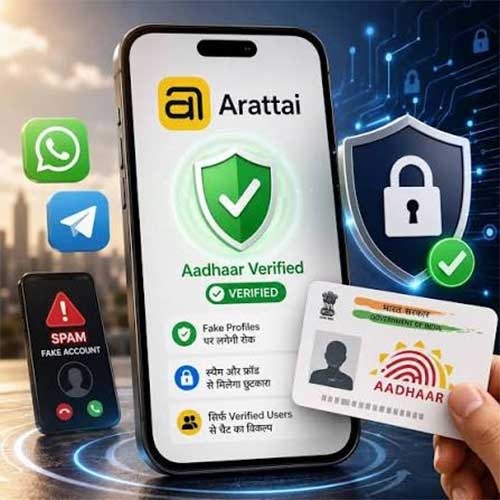
Arattai, an instant messaging and VoIP calling app by global technology company Zoho Corporation has last week announced the introduction of an Aadhaar-enabled identity verification layer on its privacy-first platform. This integration enables Arattai to use Aadhaar for identity verification to mitigate possible identity spoofing and digital impersonation attempts.
Arattai, soft launched in 2021, has been built entirely in India with an aim to give users a safe, reliable space for personal conversations, completely free from invasive data tracking, targeted ads, or adjunct surveillance. Developed on Zoho’s full-stack infrastructure, the platform ensures that individual chats, files, and personal connections stay strictly within a highly secure local data ecosystem. Additionally, Arattai supports 10 Indian languages including Hindi (हिंदी), Gujarati (ગુજરાતી), Odia (ଓଡ଼ିଆ) and Tamil (தமிழ்).
"The consumer messaging landscape faces a severe crisis of trust, driven by sophisticated impersonation and digital fraud that compromises daily interactions for users. At Arattai, we believe privacy and technological sovereignty go hand in hand, and users deserve absolute control over their communication. By introducing an optional, Aadhaar verification layer, we are delivering a reliable space without adding unnecessary friction to the user experience. This architecture ensures that users can validate their peer-to-peer interactions on their own terms," said Jeri John, Global Product Head, Arattai.
Aadhaar app-based identity verification
Through Aadhaar-verified identity verification, Arattai users can now block unsolicited spam by choosing to receive messages only from verified accounts. Users can avail the feature across mobile (iOS and Android) and desktop (Windows and Mac). To begin this verification process, users can navigate to their profile settings page, select the 'Get Verified' option, and tap the 'Verify with Aadhaar app' button. Once their profile is verified, it receives a permanent green verification check mark (Green Badge). This feature is entirely voluntary and designed as an extra safety choice. Arattai does not store any Aadhaar details of the user.
This setup builds on Arattai’s verification program, which uses clear visual labels to provide more context on accounts. Standard verified profiles get a Blue Badge, while official government accounts use a Grey Badge to stop bad actors from pretending to be public organisations or representatives.
Additional privacy and security features
Arattai has also rolled out a slew of privacy-forward and security-first features. Conversations stay strictly confidential using End-to-End Encryption (E2EE) for individual messages and broadcasts, alongside a secure Encrypted Chat Backup option for Google Drive and iCloud. This locks data behind a personal password or recovery code, ensuring files cannot be compromised during cloud storage or recovery.
Users can also protect their phone numbers in group settings with the Hide Phone Number feature which masks their contact information from unknown members when joining public groups. For businesses, a simple Click to Chat link on their websites can help converse with customers instantly. To clean up data in retired or inactive communities, group owners can use Delete Group to permanently wipe old group histories for everyone at once.
Additionally, users can securely Schedule Meetings that include virtual waiting rooms to explicitly authorise who can enter. Users can also turn on Screen Security to dynamically black out the Arattai screen while switching apps, keeping chats protected during active screen sharing.
Availability
Arattai is available for download for mobile and desktop. The mobile version can be downloaded on Google Play for Android users and App Store for iOS users. Users can also use the web version or download the app on Windows and Mac.